
Document Owner: Damian Stalls
Backup Owner: Josh Miller
Last Verified: 2026-05-19
OVERVIEW
When you receive an encrypted email notification from Avanan Email Encryption, you must verify your identity to view the message. Encrypted messages are viewed in a secure portal and can be replied to from that portal.
PURPOSE
- Explain how external recipients access Avanan encrypted emails
- Explain what to do when an encrypted link expires
- Explain how to authenticate and reply securely
WHO THIS IS FOR
- External recipients (outside the sender’s organization) who receive Avanan encrypted email notifications
- Recipients who need to view, reply to, or request a new encrypted link
WHAT TO DO
Step 1: Open the secure email notification
- Click the link in the encrypted email notification to access the secure portal.
- By default, the link is valid only for 10 hours.
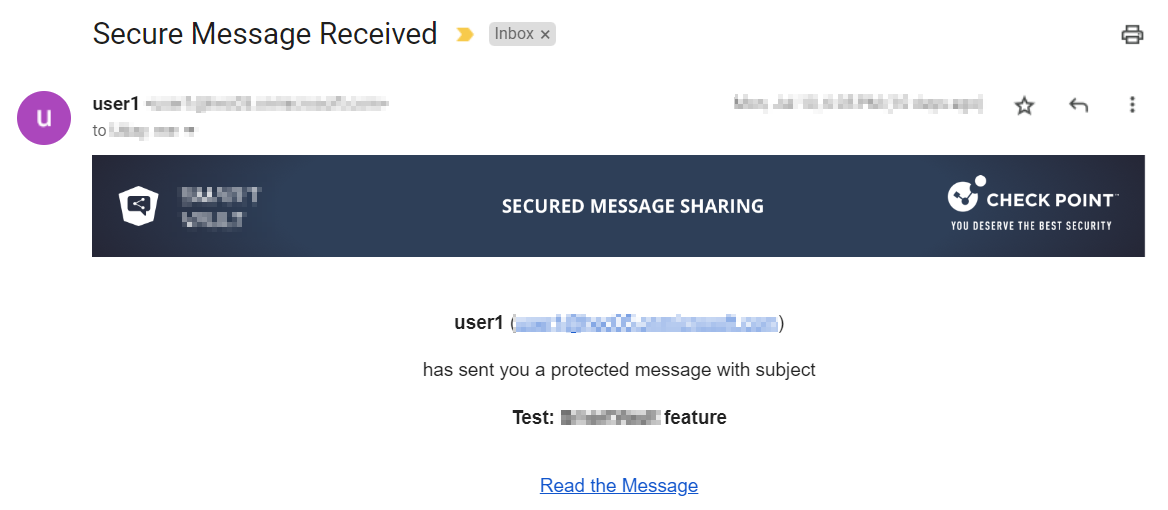
Step 2: If the link is expired, request a new link
- If the link is expired, click Send link from the Encrypted Link Expired page.
Step 3: Authenticate to view the email
- You will receive an email with a new secure link.
- Click Read the Message. The secure portal opens and requests authentication.
- Click Get Authentication Code. An authentication code will be emailed to you.
Step 4: Enter the authentication code and open the message
- Enter the authentication code in the secure portal.
- Click Go to the Email.
- After successful authentication, the original email appears.
Step 5: Reply securely (if needed)
- To reply to the email, click Reply to Sender.
Step 6: Confirm delivery status
- Your response is sent as an email to the original sender and the secure portal shows delivery status.
WHEN TO CONTACT SUPPORT
Contact the sender’s support team if:
- You cannot receive an authentication code
- The secure link keeps expiring and you cannot access the message
- You cannot open the secure portal after requesting a new link
Include the sender’s email address and the subject line of the encrypted message when requesting help.
IMPORTANT GUIDELINES
- Do not share your authentication code with anyone.
- If you suspect the encrypted message is not legitimate, contact the sender through a trusted method (do not reply through the secure portal).
- If the secure link expires, use the “Send link” option to generate a new access link.
ALSO PUBLISHED AT
Support Portal (Knowledge Base): https://support.complete.net → Knowledge Base → Avanan Email Security
Public KB: https://help.complete.net/m/AvananEmailSecurity/